🎯 About the Training Program
This course is an advanced program aimed at qualifying engineers to use the latest engineering design tools by integrating the 2D drafting capabilities of AutoCAD with the 3D modeling power of Building Information Modeling (BIM) methodology using Autodesk Revit. The course focuses on developing structural design skills and professional shop drawing preparation to meet the demands of the modern labor market.
🎯 Course Objectives
By the end of the program, trainees will be able to:
-
Understand the fundamental principles of structural design and engineering drawing preparation.
-
Master drafting tools and structural detailing professionally in AutoCAD.
-
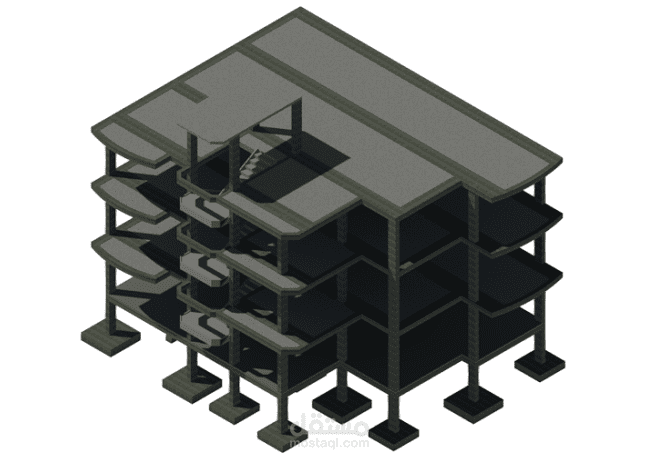
Create 3D structural models using Revit.
-
Prepare professional Shop Drawings and detailed reinforcements.
-
Apply BIM concepts to structural projects.
-
Achieve seamless integration between AutoCAD and Revit in a single workflow.
-
Improve coordination skills between different engineering disciplines.
🧩 Training Content
🔹 I. Introduction to Structural Design
-
Introduction to structural design basics.
-
The role of structural drawings in project execution.
-
Reading and interpreting engineering blueprints.
🔹 II. Design Using AutoCAD
-
Overview of the software interface and essential drawing tools.
-
Creating 2D engineering drawings.
-
Drafting structural details (Columns – Beams – Foundations).
-
Using Layers and file organization.
-
Setting up Dimensions and Annotations.
-
Advanced techniques in shop drawing preparation.
🔹 III. Design Using Revit (Structural)
-
Introduction to Building Information Modeling (BIM).
-
Setting up an integrated structural project.
-
Creating structural elements:
-
Columns
-
Beams
-
Slabs
-
Foundations
-
-
Generating Sections and Details.
-
Preparing Shop Drawings (Sheets & Documentation).
🔹 IV. Integration Between AutoCAD & Revit
-
Importing AutoCAD files into Revit.
-
Converting 2D drawings into BIM models.
-
Managing and updating data between both platforms.
-
Exporting drawings from Revit back to AutoCAD.
🔹 V. Practical Applications (Case Studies)
-
Step-by-step execution of a complete structural project.
-
Hands-on application for preparing shop drawings.
-
Reviewing common errors and how to avoid them.
-
Simulating a real-world engineering office environment.
🎓 Target Audience
-
Structural and Architectural Design Engineers.
-
Engineering students (Civil / Architecture).
-
Site Engineers and Technical Office Engineers.
-
Technicians working in the field of engineering design.
-
Anyone seeking to enhance their design skills using AutoCAD and Revit.
💡 Course Features
-
Practical content based on real-world projects.
-
Training on software standard to the current job market.
-
Integration of traditional drafting and BIM.
-
Preparing trainees for immediate entry into the workforce.
🚀 Course Outcomes
Upon completion of the course, the trainee will be able to:
-
Prepare professional structural drawings using AutoCAD.
-
Create a comprehensive structural model using Revit.
-
Extract high-accuracy shop drawings.
-
Work effectively within an engineering team using BIM techniques.